
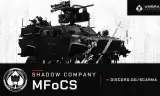
Working in-cabin navigation for the WCS JLTV. Both screens become iOS-style terminals with road routing, turn-by-turn voice guidance, grid entry and map clicks.
Players now
0
Servers
10
Rating
100%
1 votes
Subscribers
-
56 downloads
Busiest servers running it 10 in total
All servers United States
1.8.0.13
United States
1.8.0.13

 Czechia
1.8.0.13
United States
1.8.0.13
Czechia
1.8.0.13
United States
1.8.0.13
 United Kingdom
1.8.0.13
United States
1.8.0.13
United Kingdom
1.8.0.13
United States
1.8.0.13
 Brazil
1.8.0.13
Brazil
1.8.0.13
Players on servers with it
daily, last 30 days
Details
- Author
- Umbra Concepts LLC
- Version
- 1.0.3
- Size
- 13.0 MB
- Licence
- APL
- Game version
- 1.8.0.13
- Likes
- 0 / 0 dislikes
- Published
- 23 Oct 2026
- Updated
- 1 day ago
- Workshop ID
- AB0C1AC7766E4B37
Recent adoption
30 days: +4 −1 ↑2
- + BNS TACTICAL WARFARE 1.0.3 2h ago
- + Goons865 1.0.3 2h ago
- − Moona 1.0.3 21h ago
- + Moona 1.0.3 1d ago
- + [BR] Shadow Company Milsim | Operations Server | PS5/PC 1.0.3 1d ago
- ↑ Shadow Company PMC — Operations Server — discord.gg/SCARMA 1.0.1 1.0.3 1d ago
- + Jlat8397 1.0.3 1d ago
- ↑ Shadow Company PMC — Operations Server — discord.gg/SCARMA 1.0.0 1.0.1 1d ago
- + Shadow Company PMC — Operations Server — discord.gg/SCARMA 1.0.0 1d ago
Requires
3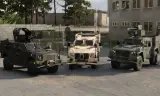


Often used with
8



Version history
4-
v1.0.3 13.0 MB 23 Oct 2026
Appearance can now be switched between Light and Dark in Settings (per screen; dark is still the default). Light mode is dimmed slightly on the cabin screens so it stays readable.
-
v1.0.2 13.0 MB 23 Oct 2026
-
v1.0.1 13.0 MB 23 Oct 2026
-
v1.0.0 13.0 MB 23 Oct 2026
Description from the Workshop
In-vehicle navigation for the WCS JLTV. Both cabin screens, front passenger and driver, become working terminals, each operated from its own seat. Navigation lives on the screens only; there is no on-screen HUD. FEATURES • Live cabin screens: turn a unit on with its PWR key (works with the engine off), then use it in the cabin or open the full view with "Use terminal". • Maps-style navigation: the map is drawn from the terrain's own road network, with your vehicle, a destination pin and a blue route that follows the roads. • Turn-by-turn: "Turn left in 250 ft", arrival time, minutes and distance remaining. • Smart rerouting: miss a turn and it reroutes from where you are. Keep ignoring a road and it stops sending you back to it. • Set a destination by grid (4, 6 or 8 digits), by picking a point on the map, or by right-clicking the map. • Spoken guidance from the tablet's speaker. Crew inside hear it, someone standing right by the vehicle hears it quietly, nobody further away does. Mute and four volume levels. • US units (feet, miles, mph) by default, metric as a setting. Dark appearance. • Shared navigation: both screens show the same destination and route. Power, page, zoom and brightness are per screen. • Mouse first, controller supported: click anything, drag the map, scroll to zoom. The D-pad, A/B, triggers and Y also work. • A home screen with a second app for downtime: Snake. REQUIREMENTS • WCS JLTV. Every WCS JLTV variant gets the terminals. CONTROLS (full view) • Mouse: click controls and bezel keys, drag to pan, wheel to zoom, right-click the map to set a destination. • Keyboard: arrows or W A S D, Space select, Enter go, digits, Backspace / Delete, F1–F4 pages, Esc back. • Controller: D-pad, A select, B back, LT / RT zoom, Y next page, right stick pan. CREDITS • Fonts: Inter and Press Start 2P (SIL Open Font License; licence texts included). • Voice: Kokoro-82M v1.0 (Apache 2.0), rendered with sherpa-onnx (Apache 2.0). Built by and for Shadow Company....