
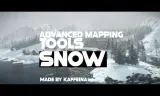
- THIS IS A MAPPING MOD TOOL - For ground snow creation
Players now
0
Servers
2
Rating
94%
33 votes
Subscribers
-
5,275 downloads
Busiest servers running it 2 in total
All servers


Players on servers with it
daily, last 30 days
Details
- Author
- Kaffeina-
- Version
- 1.0.0
- Size
- 7 KB
- Licence
- APL
- Game version
- 1.4.0.48
- Likes
- 0 / 0 dislikes
- Published
- 12 Aug 2025
- Updated
- 1 year ago
- Workshop ID
- 6618EC20F3BD5E2C
Recent adoption
30 days: +8 −6 ↑0
- + Opium | Ukraine vs Russia 1.0.0 5d ago
- − 1-11th A.C.R. - Main 1.0.0 1w ago
- + Don Chili's Main Server 1.0.0 1w ago
- − 75th Ranger regiment | 2nd Battalion | https://discord.gg/bDB2Hjf9UJ 1.0.0 1w ago
- + 75th Ranger regiment | 2nd Battalion | https://discord.gg/bDB2Hjf9UJ 1.0.0 1w ago
- + 1-11th A.C.R. - Main 1.0.0 1w ago
- − SCP Site-20 join us at https://discord.gg/uNa9pybNx 1.0.0 2w ago
- + SCP Site-20 join us at https://discord.gg/uNa9pybNx 1.0.0 3w ago
- − SCP Site-20 join us at https://discord.gg/uNa9pybNx 1.0.0 3w ago
- + SCP Site-20 join us at https://discord.gg/uNa9pybNx 1.0.0 3w ago
- − [RU] WASD | RUSSIAN | arma-wasd.ru 1.0.0 4w ago
- + [RU] WASD | RUSSIAN | arma-wasd.ru 1.0.0 4w ago
Required by
2
Often used with
8



Version history
1-
v1.0.0 7 KB 12 Aug 2025
Description from the Workshop
- THIS IS A MAPPING MOD TOOL - What is it? This is a mapping mod tool, specifically for map creators. To the map creators: This tool adds multiple ground materials that can turn into snow covered areas when it snows. They're all inherited from the vanilla materials so you can mix them together with your current work and control snow areas without issues. Check my map for reference: "Novka" https://reforger.armaplatform.com/workshop/6550CDE61DD51E14-Novka Trailer: https://www.youtube.com/watch?v=rSD_b8idu1E&feature=youtu.be HOW TO USE: 1. Add the AMT-Snow mod to your workbench (if you don't know how to, just search for a tutorial) 2. Go into your map 3. Add / Replace the following prefabs: 3.1 Go to AMTDynamicSnow -> Prefabs -> World -> DefaultWorld Add / replace the "GenericWorldPP_Default_AMT.et" into your map (This is the ground changer, this will change the grounds from normal to snow cover) (REMEMBER TO REMOVE ANY ALREADY EXISITING PREFAB WITH SAME NAME!!) 3.2 Go to AMTDynamicSnow -> Prefabs -> World -> Game Add / replace the "TimeAndWeatherManager_AMT_Snow.et" into your map (This is the snow particle generator, if you DONT want this, you dont have to add it, however when it rains it will generate snow, just so you know) (REMEMBER TO REMOVE ANY ALREADY EXISITING PREFAB WITH SAME NAME!!) 4. Add the materials into your map Go to AMTDynamicSnow -> Terrains -> Common -> Surfaces Drag and drop all the materials into your terrain painter tool (like you do with the vanilla ones) (If you don't know what this means, you need to learn the basics behind the World Editor, please go and find a tutorial on map making before using this) 5. You are now ready to paint with the new materials! They look like normal terrain materials, but when it snows (rains) it will start to become snow covered landscapes instead. Checking the snow effect in the workbench: 1. Press: Windows-key + ALT 2. USE ARROWS AND BACKSPACE TO NAVIGATE 3. Navigate to "RENDER" -> "RAIN" ->...