
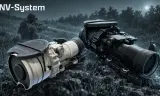
PVS-27 Clip-On - NV-System
Players now
10
Servers
19
Rating
-
Subscribers
-
35 downloads
Busiest servers running it 19 in total
All servers
 France
1.8.0.13
France
1.8.0.13
 United Kingdom
1.8.0.13
United Kingdom
1.8.0.13
 Russia
1.8.0.13
Russia
1.8.0.13
 Singapore
1.8.0.13
Singapore
1.8.0.13

 Germany
1.8.0.13
Germany
1.8.0.13
 United States
1.8.0.13
United States
1.8.0.13
United States
1.8.0.13
Germany
1.8.0.13
United States
1.8.0.13
United States
1.8.0.13
United States
1.8.0.13
United States
1.8.0.13
Germany
1.8.0.13
United States
1.8.0.13
Players on servers with it
daily, last 30 days
Details
- Author
- EvilJackk
- Version
- 2.0.1
- Size
- 20.0 MB
- Licence
- Custom
- Game version
- 1.8.0.13
- Likes
- 0 / 0 dislikes
- Published
- 25 Sep 2026
- Updated
- 3 weeks ago
- Workshop ID
- 026756EA9CF77E92
Recent adoption
30 days: +78 −49 ↑51
- + [MY][Outcast] Malaysian / Asian Server | discord.gg/mbUAkYY3gy 2.0.5 21m ago
- + [TF1]Task Force Tarawa-Milsim Ops 2.0.5 2h ago
- − [MY][Outcast] Malaysian / Asian Server | discord.gg/mbUAkYY3gy 2.0.5 5h ago
- − [TH] USASOC & JSOC - PROJECT MISSION MILSIM - TSOG 2.0.5 9h ago
- + New Everon Shadow war 2.0.5 20h ago
- − EJW Chernarus 2.0.5 1d ago
- + ISRAELITE | Unit | Sayeret 75 | Powered By ISRAELITE 2.0.5 1d ago
- + [TH] USASOC & JSOC - PROJECT MISSION MILSIM - TSOG 2.0.5 1d ago
- + TRIDENT UHC REALISM NATO/RUS 2.0.5 1d ago
- + SpearHead Milsim 2.0.5 1d ago
- − DELTASTRATEGIC 2.0.5 2d ago
- − SGZ - Arma Reforger Server 2.0.5 2d ago
Requires
3
Required by
1
Often used with
8




Version history
3-
v2.0.1 20.0 MB 25 Sep 2026
hotfix
-
v2.0.0 20.0 MB 25 Sep 2026
-
v1.0.0 20.0 MB 25 Sep 2026
Description from the Workshop
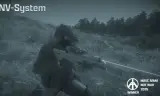
PVS-27 Clip-On - NV-System A clip-on PVS-27 night sight for rifle scopes, made for NV-System. Attach the PVS-27 to a rifle's RIS rail and it moves in front of the scope by itself. Aim through the scope and you get a night vision image, with the scope's own reticle and magnification left as they are. REQUIREMENTS ---------------------------------------- - NV-System - A rifle with a RIS optics rail and a RIS scope of 3x or more, both from other mods (WCS, Rayzi's Optics and similar). FEATURES ---------------------------------------- - Green phosphor and white phosphor versions, each in black and tan - Works with most 3x or stronger RIS scopes - Scope reticle and magnification unchanged - Works in both PIP and 2D scope mode - Image brightness adjusts to how dark it is, with 5 gain steps on top - Power on/off, with a short tube warm-up when it comes on - Worn NV-System goggles switch off while you aim through the PVS-27, so the image never doubles up - NV-System IR lasers, illuminators and strobes show through the scope - Available in the US, USSR and FIA arsenals CONTROLS (while aiming) ---------------------------------------- - Left Shift + mouse wheel: gain up / down - Left Shift + R: reset gain - Left Ctrl + End: power on / off - Left Ctrl + Page Up / Page Down also change gain The keys show in the hint panel while you aim. Power and gain are also in the weapon inspection menu. HOW TO USE ---------------------------------------- 1. Put a 3x or stronger scope on a rifle with a RIS rail. 2. Inspect the rifle and use Attach, or drag the PVS-27 onto the rifle in your inventory. 3. The PVS-27 moves in front of the scope. Aim through the scope to use it. 4. To take it off, inspect the rifle and use Detach. With no suitable scope on the rifle, the PVS-27 sits on the rail switched off and a hint tells you why. NOTES ---------------------------------------- - There is also a GRS NVGs version. Load one or the other, never both. - Red dots, holographic sights, scopes...