
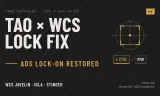
Quick fix
Players now
0
Servers
0
Rating
-
Subscribers
-
38 downloads
Busiest servers running it 0 in total
No server is running this mod right now.
Players on servers with it
daily, last 30 days
Details
- Author
- Silence_AUS
- Version
- 1.0.1
- Size
- 3 KB
- Licence
- APL-ND
- Game version
- 1.8.0.13
- Likes
- 0 / 0 dislikes
- Published
- 4 Oct 2026
- Updated
- 1 week ago
- Workshop ID
- 904D83CA1359FD0B
Recent adoption
30 days: +8 −7 ↑5
- − [AU/NZ] (ARGC) Australian Diggers | GM Ops 1 | 1.0.3 1w ago
- − Jaguar | Training | A&S | Camp Neptune | GM 1.0.3 1w ago
- − Jaguar | Asia | Operations 1.0.3 1w ago
- − [AU/NZ] (ARGC) | Apocalypse Riders | PvE Conflict | Hardcore Ai | Console Friendly | 1.0.3 1w ago
- − [AU/NZ] (ARGC) Australian Diggers | PvE Conflict | Casual | Console Friendly | 1.0.3 1w ago
- − [PJSF] Philippine Joint Strike Force || 24/7 Modern Conflict || SEA || PVE 1.0.3 1w ago
- + [PJSF] Philippine Joint Strike Force || 24/7 Modern Conflict || SEA || PVE 1.0.3 1w ago
- ↑ [AU/NZ] (ARGC) | Apocalypse Riders | PvE Conflict | Hardcore Ai | Console Friendly | 1.0.1 1.0.3 1w ago
- + Jaguar | Training | A&S | Camp Neptune | GM 1.0.3 1w ago
- + Jaguar | Asia | Operations 1.0.3 1w ago
- ↑ [AU/NZ] (ARGC) Australian Diggers | PvE Conflict | Casual | Console Friendly | 1.0.1 1.0.3 1w ago
- ↑ [AU/NZ] Apocalypse Riders Gaming (ARGC) | Fox's Playground | 1.0.1 1.0.3 1w ago
Requires
2

Often used with
8






Version history
2-
v1.0.1 3 KB 4 Oct 2026
-
v1.0.0 2 KB 4 Oct 2026
Description from the Workshop
Lets WCS lock-on launchers (Javelin, Igla, Stinger) lock on while aiming down sights when Tactical Animation Overhaul is loaded. THE PROBLEM WCS locks on while you hold Left Ctrl. Tactical Animation Overhaul binds Canting to Left Ctrl + Right Mouse. While you aim, Right Mouse is already held, so pressing Ctrl hits the canting combo and the launcher never starts its lock. From the hip it works, through the sight it doesn't. WHAT THIS DOES - Holding a WCS lock launcher: TAO canting is skipped, so the tube doesn't tilt. - Aiming down sights with a WCS IR launcher: press Left Ctrl and the lock starts. - The lock stays on until you stop aiming, lower the launcher or run out of ammo. - Hip-fire locking works exactly as before (hold Left Ctrl). - Canting on every other weapon is untouched. REQUIREMENTS - TacticalAnimationOverhaul - WCS_Armaments Load after both (the dependencies handle this). NOTES - Client-side input fix, so it needs to be in the server modlist for players. - Gamepad binds are not changed. - Made for the ARGC servers by Silence.