
Call in a fully voiced A-10 Warthog gun run from your radio: one map marker, real 30mm, smart targeting.
Players now
0
Servers
2
Rating
-
Subscribers
-
51 downloads
Busiest servers running it 2 in total
All servers
Players on servers with it
daily, last 30 days
Details
- Author
- TheReallyRealSimmons
- Version
- 1.0.1
- Size
- 16.4 MB
- Licence
- APL-SA
- Game version
- 1.8.0.13
- Likes
- 0 / 0 dislikes
- Published
- 18 Oct 2026
- Updated
- 1 hour ago
- Workshop ID
- 6AA4A11EDDD3894F
Recent adoption
30 days: +4 −2 ↑1
- − Angel PvE 1.0.0 42m ago
- ↑ HOLD THE LINE | PvE | RHS + ACE | US vs RU | A-10 + AC-130 Callable Air Support | 1.0.0 1.0.1 1h ago
- + HOLD THE LINE | PvE | RHS + ACE | US vs RU | A-10 + AC-130 Callable Air Support | 1.0.0 1h ago
- − Jimmy Chillsim 1.0.0 2h ago
- + Jimmy Chillsim 1.0.0 3h ago
- + Angel PvE 1.0.0 4h ago
- + 3SFG-Grimstone | Training Server | discord.gg/3sfg-grimstone 1.0.0 8h ago
Requires
1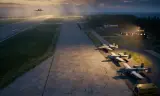
Often used with
8



Version history
2-
v1.0.1 16.4 MB 19 Oct 2026
1.0.1 -Fixed: map markers now clear for all players after a strike on dedicated servers -Fixed: 30mm tracers and impacts now visible to all players on dedicated servers -New: A-10 prioritizes crewed armor → crewed armed vehicles → infantry → empty/unarmed vehicles -Changed: radio voice lines replaced with on-screen radio text (shown to the caller and players within 30 m)
-
v1.0.0 16.4 MB 18 Oct 2026
Description from the Workshop
A-10 CAS CALL-IN Call in a fully voiced A-10 Warthog gun run straight from your radio. Mark the target on your map, check it, clear it hot, and watch the Hog roll in, walk 30mm across the target, and pull off. ====================================== HOW TO USE ====================================== 1. MARK THE TARGET (pick one): - Quick: place ONE map marker named "A10" on the target. "A10" = jet attacks from your position toward the target (rounds walk away from you) "A10 N", "A10 SW" ... = attack heading (N, NE, E, SE, S, SW, W, NW) "A10 270" = exact compass heading (0-360) A 150 m strafe line is built through your marker. - Custom line: place "A10 START" and "A10 END" markers for the exact gun run you want. (START/END takes priority if both are placed.) 2.CHECK IT (optional): raise your AN/PRC-68 radio, inspect it, look at the knob and select "A-10: CHECK TARGET". You'll see the run length, heading, burst size, what the pilot will see, and whether friendlies are DANGER CLOSE. Nothing is called in - adjust your markers and check again. 3. CALL IT IN: on the same knob, select "A-10: CLEARED HOT". Game Masters can also trigger a run by placing a marker named "CLEARED HOT". Markers are removed automatically after the call. One gun run at a time. ====================================== FEATURES ====================================== VISIBLE A-10 - The jet appears ~2.6 km out on a level approach, rolls into a 30 degree dive, fires from ~1 km, pulls up and egresses - fully visible during the whole radio sequence. - Engine sound is attached to the jet: faint in the distance, building as it dives in, sweeping overhead and fading as it climbs away. Heard up to 4 km. SMART TARGETING - The target area is scanned before the run: armor, vehicles, troops, buildings. - POINT TARGET: if armor/vehicles are found, the whole burst is concentrated on them in one straight line, dwelling on each vehicle. Moving vehicles are tracked to where they are when the gun...