
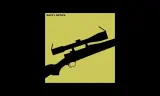
RES LOADOUTS adds a clean loadout editor to every arsenal box: pick a slot, swap gear or build modular guns part by part, with a live preview. Saved kits are backed up on the server.
Players now
1
Servers
1
Rating
-
Subscribers
-
Busiest servers running it 1 in total
All servers
Players on servers with it
daily, last 30 days
Details
- Author
- ROGUE_D3viL_
- Version
- 0.0.1
- Size
- 713 KB
- Licence
- APL-ND
- Game version
- 1.8.0.13
- Likes
- 0 / 0 dislikes
- Published
- 7 Oct 2026
- Updated
- 1 week ago
- Workshop ID
- 6A8ED8186FFAC842
Recent adoption
30 days: +4 −2 ↑3
- − Echo-9 Story 0.0.4 4d ago
- + Echo-9 Story 0.0.4 5d ago
- − GHOST RECON MEXICO 0.0.4 5d ago
- + GHOST RECON MEXICO 0.0.4 6d ago
- + COST OF ARMA 0.0.4 6d ago
- ↑ [NA1] RESURRECT | MODERN | PS5 XBOX PC | DISCORD.GG/RES-RESURRECT 0.0.3 0.0.4 1w ago
- ↑ [NA1] RESURRECT | MODERN | PS5 XBOX PC | DISCORD.GG/RES-RESURRECT 0.0.2 0.0.3 1w ago
- ↑ [NA1] RESURRECT | MODERN | PS5 XBOX PC | DISCORD.GG/RES-RESURRECT 0.0.1 0.0.2 1w ago
- + [NA1] RESURRECT | MODERN | PS5 XBOX PC | DISCORD.GG/RES-RESURRECT 0.0.1 1w ago
Often used with
8




Version history
1-
v0.0.1 713 KB 7 Oct 2026
Description from the Workshop
Walk up to any arsenal box, hold the interact key and choose "RES LOADOUTS: edit loadout". WHAT YOU GET - The whole left side is one list that steps through your gear: your slots, then the gear for the slot you chose, then the parts of what you wear or carry. The back button always steps out one level. - The whole right side is a big live preview. It follows the slot you are changing: a small figure lights the part of the body (head, torso, hands, legs, feet) and a backpack turns your soldier around to show his back. - MODULAR GUNS: your weapons are listed with their attachment slots (optic, muzzle, stock, grip, handguard, sights... whatever the gun has). Choose a slot, pick a part, see it on the gun in the preview. - Helmet and vest parts (night vision, headsets, masks, pouches...) are their own slots - for any gear that has them, as deep as it goes. - Slots that other mods add to your soldier appear under "MORE GEAR" only while those mods are running. - Weight, price and rank at the top; weight updates as you change gear. - Only items that really fit are listed. Items you can't take say why (rank too low, clashes with something fitted...). Items the server would not sell are not offered at all. - Scroll bar, mouse wheel, page buttons and a selection that always stays in view - nothing is cut off, on any screen shape. - Search box, sorted lists (your current item first, locked items last). - One key to save your kit (uses the game's own "save loadout", same rules as the normal save action). - SAVED KITS ARE BACKED UP ON THE SERVER: a kit you save survives server restarts, crashes and new matches - no world saving needed. You join, your kit is there. FOR SERVER ADMINS - the kit backup - Every saved kit is also written to the server's profile folder: <profile>/RES_Loadouts/kits/<player identity>.json (the previous good copy sits beside it as .bak). One small set of files per player; copy the folder to back it up or move it to another server. - A kit is written the...