
INTEL PROPS for Amber Serpent Community
Players now
0
Servers
0
Rating
100%
1 votes
Subscribers
-
3 downloads
Busiest servers running it 0 in total
No server is running this mod right now.
Players on servers with it
daily, last 30 days
Details
- Author
- Kaz994
- Version
- 1.0.1
- Size
- 35.2 MB
- Licence
- APL-ND
- Game version
- 1.8.0.13
- Likes
- 0 / 0 dislikes
- Published
- 4 Oct 2026
- Updated
- 1 week ago
- Workshop ID
- 6A697322DA8DFB26
Recent adoption
30 days: +6 −4 ↑0
- − Team FAF discord.gg/FhTx98anTZ 1.0.1 3h ago
- − Studies & Interdiction Group | Operations | https://discord.gg/UTApzsSySV 1.0.1 14h ago
- + Team FAF discord.gg/FhTx98anTZ 1.0.1 1d ago
- + Studies & Interdiction Group | Operations | https://discord.gg/UTApzsSySV 1.0.1 1d ago
- − LTU [ Amber Serpent ] MILSIM GM 1.0.1 6d ago
- + LTU [ Amber Serpent ] MILSIM GM 1.0.1 6d ago
- + LTU [ Amber Serpent ] MILSIM GM 1.0.1 1w ago
- − Pve entrainement #1 1.0.1 1w ago
- + Pve entrainement #1 1.0.1 1w ago
- + LTU [ Amber Serpent ] TvT- Kunar Province 1.0.1 1w ago
Requires
3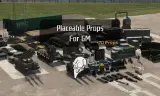
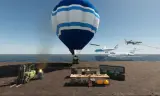
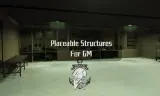
Required by
1
Often used with
8



Version history
2-
v1.0.1 35.2 MB 4 Oct 2026
-
v1.0.0 35.2 MB 4 Oct 2026
Description from the Workshop
AMBER SERPENT — LITSOF INTEL PROPS User Guide This mod lets you turn custom documents, dossiers, and ID card images into in-game props. Props can be spawned through Game Master, picked up, and inspected in the player’s hands. 1. Prepare your PNG Open the mod’s Models folder and find the PNG belonging to the prop you want to customize. Use the existing image as a template, preserving its dimensions and layout. 2. Replace the image Replace the existing PNG with your custom image, keeping exactly the same filename and folder location. The prop will automatically use the new appearance. Back up the original files before replacing them. If you are editing the mod in Workbench, reimport the modified texture and save your changes. 3. Spawn the props Launch your scenario with the mod enabled. In Game Master mode, find the desired prop in the object catalog and place it wherever your scenario requires: on a desk, inside an office, in a hideout, or beside other evidence. 4. Inspect in-game Players can pick up the props and use the inspection function to examine them in their hands. Make text and important details large enough to read, with clear contrast. 5. Check before your event Test from the player’s perspective. Confirm that the prop displays your custom image, can be picked up, and remains readable during inspection. For multiplayer events, make sure the server and players use the updated version of the mod.