
Handheld Mini Map.
Players now
0
Servers
1
Rating
-
Subscribers
-
67 downloads
Busiest servers running it 1 in total
All servers

Players on servers with it
daily, last 30 days
Details
- Author
- Cichy Laslo
- Version
- 1.1.5
- Size
- 49 KB
- Licence
- APL-SA
- Game version
- 1.8.0.13
- Likes
- 0 / 0 dislikes
- Published
- 13 Sep 2026
- Updated
- 2 weeks ago
- Workshop ID
- 6A58F46ECD511D83
Recent adoption
30 days: +14 −12 ↑3
- − Big Red Dirty Mike 1.1.5 2d ago
- + Big Red Dirty Mike 1.1.5 3d ago
- − The Orchard 1.1.5 5d ago
- + The Orchard 1.1.5 5d ago
- + ITA/EU-WARCORE2 PVE ANIZAY|MODERN discord.gg/ktKdr3QWa 1.1.5 1w ago
- − PSY's Reaper Ops - Exemption 1.1.3 1w ago
- ↑ WARCORE HARDCORE | ITA/EU | PvP | CROSSPLAY 1.1.3 1.1.5 1w ago
- + PSY's Reaper Ops - Exemption 1.1.3 2w ago
- − PSY's Reaper Ops - Exemption 1.1.3 2w ago
- + PSY's Reaper Ops - Exemption 1.1.3 2w ago
- − PSY's Reaper Ops - Exemption 1.1.3 2w ago
- − [FR][EU] Full Plastic Jacket | PVPVE | Conflict Escalation | 175 Mo 1.1.3 2w ago
Required by
3
Often used with
8


Version history
7-
v1.1.5 49 KB 2 Oct 2026
-
v1.1.4 49 KB 2 Oct 2026
-
v1.1.3 46 KB 19 Sep 2026
-
v1.1.2 46 KB 15 Sep 2026
-
v1.1.1 45 KB 15 Sep 2026
-
v1.1.0 21 KB 14 Sep 2026
Description from the Workshop
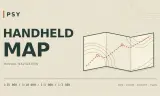
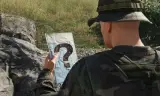
This mod provides two prefabs. Both offer a paper like map on a small pad that you can hold in your hand while walking, driving, flying etc. You can adjust the zoom level, and the difference between those two is as follows: 1. Auto (_a) – the map view automatically centers on your position (whenever possible). There is no specific marker for your position itself, but it is located roughly in the center. 2. Manual (_m) – no automatic positioning; the map can be moved freely. Both prefabs got attributes to show/hide custom and military markers. You can choose if only your own markers will be visible or of the entire faction. Controls are located in the menu under: Controls -> Handheld Mini Map. The map is always oriented towards the North. When you walk, the map tilts sligtly, giving you a better view. You can also tilt the map while standing still by using the freelook key.