
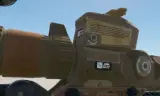
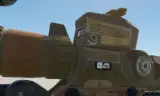
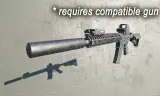
Functional M157 NGSW-FC Optic. Auto-calculates drop & lead holds, projects dispersion cones, and shares 3d target marks across your squad/faction network.
Players now
645
Servers
327
Rating
88%
8 votes
Subscribers
-
35,735 downloads
Busiest servers running it 327 in total
All servers United States
1.8.0.13
United States
1.8.0.13
United States
1.8.0.13
United States
1.8.0.13
United States
1.8.0.13
United States
1.8.0.13
 Brazil
1.8.0.13
Brazil
1.8.0.13
United States
1.8.0.13
United States
1.8.0.13
United States
1.8.0.13
United States
1.8.0.13
United States
1.8.0.13
Brazil
1.8.0.13
Brazil
1.8.0.13
United States
1.8.0.13
United States
1.8.0.13
United States
1.8.0.13
United States
1.8.0.13
United States
1.8.0.13
Players on servers with it
daily, last 30 days
Details
- Author
- Dice614
- Version
- 2.0.22
- Size
- 8.9 MB
- Licence
- APL-ND
- Game version
- 1.8.0.10
- Likes
- 0 / 0 dislikes
- Published
- 17 Aug 2026
- Updated
- 1 month ago
- Workshop ID
- 6A1F5DAE1CDCECE2
Recent adoption
30 days: +496 −418 ↑6
- + US1 COE2 Kunar 2.0.22 3h ago
- + UK/[MCS] British Contingent [Conflict EVERON] ver.1.55 2.0.22 3h ago
- − [BR] ZERO [PVE] [TESTE] 2.0.22 4h ago
- + [FR] Unite Orion Arakin 2.0.22 4h ago
- − [FR] Unite Orion Arakin 2.0.22 5h ago
- + M4H New 2.0.22 5h ago
- − M4H New 2.0.22 6h ago
- + M4H New 2.0.22 6h ago
- − M4H New 2.0.22 7h ago
- + (EU1) UHC HALLOWEEN PvE Server | ZOMBIES+AI | SEG Echolon | Crossplay | arma-milsim.de/discord 2.0.22 7h ago
- − Task Force 515 - MILSIM Operations & Training Server - https://discord.gg/bb2z6JwktJ 2.0.22 8h ago
- + Reforger Server 2.0.22 9h ago
Required by
117



Often used with
8



Version history
12-
v2.0.22 8.9 MB 29 Aug 2026
Fixed horseshoe reticle
-
v2.0.21 8.9 MB 29 Aug 2026
-
v2.0.20 8.9 MB 29 Aug 2026
-
v2.0.19 8.9 MB 29 Aug 2026
-
v2.0.18 8.9 MB 28 Aug 2026
-
v2.0.17 8.9 MB 28 Aug 2026
Description from the Workshop
Functional recreation of the XM157 Fire Control System (NGSW-FC). The optic automatically identifies your equipped weapon and ammo type, running real-time ballistic calculations to project accurate bullet drop compensation, dynamic lead tracking, and windage holds directly onto the digital HUD. Note: If an unsupported or custom caliber fails ballistic lookup, the system defaults to standard 5.56 NATO ball. If rounds are hitting far off-target, try a different rifle CONTROLS & USAGE Custom binds are located under Settings -> Controls -> XM157 ("Context Action"), and ("Change Reticle") - Rangefind Target: Hold for 1 second. - Create Target Mark: Tap, then immediately hold for 1 second. - Move Created Mark: Repeat target creation steps within 10 meters of an existing mark. - Delete Single Mark / Aim Point: Aim your reticle directly at the mark/point and tap once. - Lead Moving Target: Hold and track the target for at least 2 seconds (longer tracking = more accurate lead). - Clear All Target Marks: Double tap. - Toggle Dispersion Circle: (currently non-functional while i figure out a better bind) HUD SYMBOLOGY - Yellow square downrange: Personal rangefind point. - Yellow solid triangle (with number): Personally marked target. - Green open triangle (with number & squad role): Mark from inside your squad (e.g. SL, 1, 2). - Blue open diamond (with number & squad name): Mark from outside your squad (displays target number and squad callsign). FEATURE STATUS / ROADMAP - Target Geolocation & Data Handoff: Stores up to 10 lased targets using the onboard DMC and inclinometer. The optic automatically switches your hold point to whichever target you are looking at. (ADDED) - Squad & Network Integration (Nett Warrior / ATAK): Targeting data feeds across the faction mesh network, rendering 3D target points in real-time on all friendly XM157 optics. (ADDED) - Dynamic Lead Holds: Calculates and projects dynamic lead points for moving vehicles and infantry based on range a...