
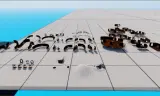
This pack contains a collection of rooms, pathways, doorways, entrances, and other items built to modularly create tunnel systems. Originally designed for use on EoH Vietnam Servers
Players now
36
Servers
9
Rating
100%
4 votes
Subscribers
-
976 downloads
Busiest servers running it 9 in total
All servers United States
1.8.0.13
United States
1.8.0.13
United States
1.8.0.13
United States
1.8.0.13
United States
1.8.0.13
United States
1.8.0.13
United States
1.8.0.13
United States
1.8.0.13
United States
1.8.0.13
United States
1.8.0.13
United States
1.8.0.13
United States
1.8.0.13
United States
1.8.0.13
United States
1.8.0.13
United States
1.8.0.13
United States
1.8.0.13
Players on servers with it
daily, last 30 days
Details
- Author
- LTaylor255
- Version
- 1.0.1
- Size
- 2.2 MB
- Licence
- APL-SA
- Game version
- 1.8.0.13
- Likes
- 0 / 0 dislikes
- Published
- 6 Aug 2026
- Updated
- 2 weeks ago
- Workshop ID
- 698515F5892B7E51
Recent adoption
30 days: +18 −13 ↑9
- ↑ 21st Cadian Battlegroup (https://discord.gg/b4ezRteTj) 1.0.1 1.0.2 2d ago
- + CAZs Cave 1.0.2 2d ago
- + Stygies VIII | Warhammer | Milsim 1.0.2 4d ago
- − fat camp 1.0.2 4d ago
- + fat camp 1.0.2 5d ago
- ↑ Echoes of Extinction REBIRTH |initial Testing| 1.0.1 1.0.2 5d ago
- ↑ Battlefleet Armageddon | Warhammer 40K | Milsim | discord.gg/BFA 1.0.1 1.0.2 5d ago
- + ! [EoH] Test Server 1.0.2 5d ago
- ↑ Psy Test Server 1.0.1 1.0.2 5d ago
- + ! [EoH] Vietnam PVE US EAST SC discord.gg/echoes-of-hell 1.0.2 5d ago
- + LNS942 1.0.1 6d ago
- − [TFR1]Task Force Reaper - Console friendly - https://discord.gg/bHkWcmBEb 1.0.1 6d ago
Requires
1
Required by
7






Often used with
8






Version history
2-
v1.0.1 2.2 MB 26 Sep 2026
Fixed RigidBody component on room3_split after user report
-
v1.0.0 2.2 MB 6 Aug 2026
Description from the Workshop
HOW TO USE: >Snapping - Each object contains "memory points" which enable the move and rotate tools to snap the prefabs to others - Take two prefabs, select the move tool, and under the tool options window turn on the options of "What to drag" and "Where to drop" under point to point snapping to "Bone" - Hold B while selected to one of the prefabs, click one of the white cubes that appear, drag that cube over to the cube on the other object >Creation - It is reccomended to start from an entrance, place one in, use the Hole feature of the Terrain Tool to create an opening for the entrance, and adjust prefab positioning to fit the created hole. - IMPORTANT: You will need to place some sort of prefab in-between the terrain and the tunnels to block incoming light, the terrain seemingly does not block light from my testing, I used the "GridPlane_100x100" prefab for my testing, ensure you disable the rigidbody component on it to have no issues with colliders. - Branch off from this entrance by snapping other prefabs to this entrance's memory point - When you wish to add a room, cap off your pathway with the appropriate doorway, the memory point further back on the doorway should be snapped to the end of the pathway, and the doorframe you wish to use in the room should be snapped to the front memory point of the doorway - Other doorframes in the room should either be utilized via more pathways (and accompanying doorways), or capped off with either the "Blocked_Doorway" or "S_Blocked_Path" prefab. - IMPORTANT: The ending of all pathways will not line up with doorframes, this can be remedied via using one of the included "Masks", which are an outline of the standing/crouching/prone shapes I've made, just snap it into place with the memory points. These can also be used to cover any gaps that appear in putting together the tunnels. - Exits will invevitably end up misaligned from the grid that you use to create your entrance, you will need to place other vanilla prefabs and...