
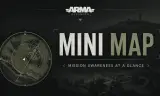
A simple Mini Map
Players now
0
Servers
4
Rating
93%
45 votes
Subscribers
-
5,569 downloads
Busiest servers running it 4 in total
All servers
 Germany
1.8.0.13
Germany
1.8.0.13
 United States
1.8.0.13
United States
1.8.0.13
 United Kingdom
1.8.0.13
United Kingdom
1.8.0.13
 Germany
1.8.0.13
Germany
1.8.0.13
Players on servers with it
daily, last 30 days
Details
- Author
- Zwanidinho
- Version
- 1.0.16
- Size
- 498 KB
- Licence
- APL
- Game version
- 1.7.0.54
- Likes
- 0 / 0 dislikes
- Published
- 4 Jun 2026
- Updated
- 2 months ago
- Workshop ID
- 698357049BCF8F34
Recent adoption
30 days: +17 −10 ↑0
- + Angel Military 1.0.16 4h ago
- + Lamxs-Reforger-Server 1.0.16 1d ago
- − HADES Squadron Flight Operations 1.0.16 1d ago
- − Nexium 1.0.16 3d ago
- − BiggyBa11sPVE/PVP 1.0.16 4d ago
- + BiggyBa11sPVE/PVP 1.0.16 4d ago
- + 614-CONFLICT 1.0.16 4d ago
- + Nexium 1.0.16 4d ago
- − Sector cero 1.0.16 4d ago
- + [EU/HUN] REFORGER HUNGARY 1.0.16 5d ago
- + [GREECE] EMPIRE LIFE RP | LIFE • ECONOMY • JOBS | PC • PS5 • XBOX | discord.gg/empireliferp 1.0.16 5d ago
- − [NL/BE] KANONNENVOER.GG #2 | 24/7 SURVIVAL ISLAND MODERN | PVPVE | DUTCH 1.0.16 1w ago
Required by
1
Often used with
8





Version history
10-
v1.0.16 498 KB 26 Jul 2026
thanks again
-
v1.0.15 498 KB 26 Jul 2026
-
v1.0.14 498 KB 19 Jul 2026
-
v1.0.13 498 KB 24 Jun 2026
-
v1.0.12 498 KB 23 Jun 2026
-
v1.0.11 497 KB 19 Jun 2026
Description from the Workshop
Live Mini Map Diese Mod fügt eine kompakte und individuell anpassbare Minimap direkt ins HUD ein. So behältst du deine Position und Umgebung im Blick, ohne ständig die große Karte öffnen zu müssen. Die Minimap kann jederzeit ein- oder ausgeblendet und vollständig nach den eigenen Vorlieben angepasst werden. Unter Einstellungen → Minimap können folgende Optionen geändert werden: -Minimap aktivieren oder deaktivieren -Zoomstufe anpassen -Spielerpfeil-Icon auswählen -Spielerpfeil ein- oder ausblenden -Farbe des Spielerpfeils ändern -Minimap-Design auswählen Verfügbare Designs: -Schwarz -Holz -Metall Steuerung: PC: I – Minimap ein-/ausblenden PlayStation 5: R1 + Steuerkreuz runter Xbox: RB + Steuerkreuz runter Alle Einstellungen gelten individuell für den jeweiligen Spieler. English: This mod adds a compact and customizable minimap directly to the HUD. It allows you to keep track of your position and surroundings without constantly opening the full map. The minimap can be toggled at any time and customized to match your personal preferences. The following options are available under Settings → Minimap: -Enable or disable the minimap -Adjust the zoom level -Select the player arrow icon -Show or hide the player arrow -Change the player arrow color -Select a minimap design Available designs: -Black -Wood -Metal Controls: PC: I – Toggle minimap PlayStation 5: R1 + D-Pad Down Xbox: RB + D-Pad Down All settings are applied individually for each player. Infos and Issues: discord.gg/hYYKvXAC2S