
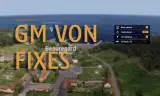
Two bugs with GM voice comms, both fixed. Also a right click toggle for swapping between the GM radio and your character radio, whilst in GM.
Players now
100
Servers
177
Rating
90%
10 votes
Subscribers
-
16,848 downloads
Busiest servers running it 177 in total
All servers Australia
1.8.0.13
Australia
1.8.0.13
Australia
1.8.0.13
Australia
1.8.0.13
 Singapore
1.8.0.13
Singapore
1.8.0.13
 Thailand
1.8.0.13
Thailand
1.8.0.13
 United States
1.8.0.13
Australia
1.8.0.13
United States
1.8.0.13
Australia
1.8.0.13

 Netherlands
1.8.0.13
United States
1.8.0.13
Thailand
1.8.0.13
Netherlands
1.8.0.13
United States
1.8.0.13
Thailand
1.8.0.13
Players on servers with it
daily, last 30 days
Details
- Author
- borked.gb
- Version
- 1.0.8
- Size
- 12 KB
- Licence
- APL
- Game version
- 1.6.0.119
- Likes
- 0 / 0 dislikes
- Published
- 10 May 2026
- Updated
- 4 months ago
- Workshop ID
- 6954C37737DD56C8
Recent adoption
30 days: +228 −182 ↑0
- + [TH] USASOC & JSOC - PROJECT MISSION MILSIM - TSOG 1.0.8 1h ago
- + Tyrant Training Site 1.0.8 2h ago
- − Tyrant Training Site 1.0.8 3h ago
- + BRAESQT - Esquadrão Tático 1.0.8 8h ago
- + CCG Deployment | Syria 1.0.8 9h ago
- − BRAESQT - Esquadrão Tático 1.0.8 11h ago
- + SSOG | GM ops | Server 3 1.0.8 12h ago
- + XIIIth 1.0.8 13h ago
- + Jaguar | Asia | Operations 1.0.8 16h ago
- + Tyrant Training Site 1.0.8 23h ago
- + [NA] 1BCT 10th Mountain Division 1.0.8 1d ago
- − [COC] Casual Ops Central PvE | Beginner Friendly | discord.gg/driftusy 1.0.8 1d ago
Required by
15





Often used with
8





Version history
9-
v1.0.8 12 KB 16 May 2026
Fixed a bug with the toggle after server crash and persistence load.
-
v1.0.7 12 KB 16 May 2026
-
v1.0.6 11 KB 14 May 2026
-
v1.0.5 11 KB 11 May 2026
-
v1.0.4 11 KB 11 May 2026
-
v1.0.3 4 KB 10 May 2026
Description from the Workshop
Two bugs with GM voice comms, both fixed. Also a right click toggle for swapping between the GM radio and your character radio, whilst in GM. ---GM voice leaking during AI possession--- When you take control of an AI, your voice should go through that unit's radio/proximity like anyone else's. It doesn't. The game leaves the editor radio running in the background, so every player hears you regardless of range or channel until you release the unit. This mod cuts the editor radio when possession starts and restores it on release. ---Nobody can hear you on first possession--- First time you take control of an AI, nobody can hear you through its radio. Release and retake and it works, so it's easy to write off as a one-off. The game tries to reassign your active radio before the handover is actually done, so the reassignment quietly fails. Waiting one frame fixes it. ---Right click toggle--- By default the GM radio transmits to everyone. Right-clicking in the editor now gives you the option to turn this off and swap to your character's radio, where normal range and channel rules apply. The eye icon next to your username is suppressed when GM radio is turned off, and returns when it's turned back on. Any issues feel free to contact me on discord: borked.gb