

Enhanced radio: ear routing, EWar jamming, manual frequency, GRS/ACE beeps, per-channel volume, and alternate channel PTT. NEW: Radio propagation simulation.
Players now
857
Servers
450
Rating
96%
48 votes
Subscribers
-
350,771 downloads
Busiest servers running it 450 in total
All servers
 Finland
1.8.0.13
Finland
1.8.0.13
 Germany
1.8.0.13
Germany
1.8.0.13
 United States
1.8.0.13
United States
1.8.0.13
 Spain
1.8.0.13
Spain
1.8.0.13
 Europe
1.8.0.13
Europe
1.8.0.13
 Brazil
1.8.0.13
Brazil
1.8.0.13
 Thailand
1.8.0.13
United States
1.8.0.13
Thailand
1.8.0.13
United States
1.8.0.13
 Singapore
1.8.0.13
Thailand
1.8.0.13
Singapore
1.8.0.13
Thailand
1.8.0.13
Players on servers with it
daily, last 30 days
Details
- Author
- Fedora12
- Version
- 1.0.38
- Size
- 13.7 MB
- Licence
- APL-SA
- Game version
- 1.8.0.10
- Likes
- 0 / 0 dislikes
- Published
- 21 Dec 2025
- Updated
- 1 month ago
- Workshop ID
- 672B0395726428B6
Recent adoption
30 days: +603 −490 ↑10
- − TEST [PL][EU]Dziupla Gier - ARMA OVER ALL | discord.gg/dziuplagier-arma 1.0.38 57m ago
- + [MY][Outcast] Malaysian / Asian Server | discord.gg/mbUAkYY3gy 1.0.38 2h ago
- − [ESP] WARBORN testing 1.0.38 5h ago
- + [GTG] Test 4 1.0.38 6h ago
- + Tyrant Training Site 1.0.38 7h ago
- − Tyrant Training Site 1.0.38 8h ago
- + BSA ArmA [CHILE-LATAM-MILSIM] 1.0.38 8h ago
- − BSA ArmA [CHILE-LATAM-MILSIM] 1.0.38 9h ago
- + MgH_Test 1.0.38 10h ago
- + 1st Battalion 4th Marines (1/4) Training Server 1.0.38 12h ago
- + henZ Dedicated Server - Ranger 1.0.38 13h ago
- − [NA5] 18+ TWS UHC | TEAMWORK & MIC REQUIRED | DISCORD.GG/JOINTWS | GOATHOST.GG 1.0.38 13h ago
Required by
89




Often used with
8







Version history
12-
v1.0.38 13.7 MB 23 Aug 2026
Fixes
-
v1.0.37 14.7 MB 23 Aug 2026
-
v1.0.36 13.7 MB 21 Aug 2026
-
v1.0.35 13.7 MB 21 Aug 2026
-
v1.0.34 13.7 MB 14 Aug 2026
-
v1.0.33 13.7 MB 13 Aug 2026
Description from the Workshop
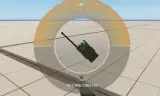
SPECIAL THANKS AND BIG CREDIT TO: GRS: Sound files ACE (and ACRE2): Sound files To use this simply open up the radio radial menu, and you'll immediately see which routing each channel is configured to. You can adjust the keybinds in the settings :) To cycle routing: Press T (keyboard) or the RIGHT SHOULDER (gamepad) over the selected channel to cycle between the following: CENTER RIGHT LEFT To set radio frequency manually: While having the radial menu opened, press the F key or left bumper on your gamepad on the highlighted channel. Follow the prompt. To change beep type, press K on your keyboard or Y on your gamepad while highlighting the appropriate channel in the radial menu. /radiochecks [on/off] --typing this command into the chat will turn on/off the radio init test at the beginning of the game session /radiobeeps [on/off] --typing this command into the chat will turn on/off the beeps/squelch when other players transmit to you these settings will persist across game sessions :) To change volume per channel use CTRL + Mousewheel, no bind set for console, but can be configured in settings. To designate alternate channel in radial menu, CTRL-F on highlighted channel, Y to transmit on alternate channel ( (right and left shoulder on console). You can configure these keybindings. The radio propagation feature is experimental and is disabled by default. You may enable this by going to the profile folder that your server uses, and look for IRRU_RFPropagation.json (the mod will create this if its run for the first time). Inside that json file, set RFPropagationEnabled to true instead of false. WARNING: The routing may not work as intended when receiving multiple transmission, this is known limitation with the Enfusion engine, as it does not generate a new instance of audio stream for any given stream of communication. LIKELY NOT COMPATIBLE WITH ANY MODS THAT MODIFY VON COMPONENTS Developed by Fedora12 for the 506th IRRU Feedback is always welcome! Do not...