
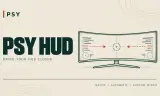
Adjust supported native HUD placement with Native, Automatic or Custom width. Automatic adapts to wider screens; Custom width works on any aspect ratio.
Players now
0
Servers
1
Rating
-
Subscribers
-
Busiest servers running it 1 in total
All servers

Players on servers with it
daily, last 30 days
Details
- Author
- psyl3nce
- Version
- 0.1.0
- Size
- 6 KB
- Licence
- APL-SA
- Game version
- 1.8.0.13
- Likes
- 0 / 0 dislikes
- Published
- 25 Oct 2026
- Updated
- 1 day ago
- Workshop ID
- 6AB01D74B550101F
Recent adoption
30 days: +1 −0 ↑2
- ↑ Psy's Combat Ops - Everon 0.2.0 0.2.1 1d ago
- ↑ Psy's Combat Ops - Everon 0.1.0 0.2.0 1d ago
- + Psy's Combat Ops - Everon 0.1.0 1d ago
Often used with
8







Version history
1-
v0.1.0 6 KB 25 Oct 2026
Description from the Workshop
PSY HUD - Beta lets you adjust supported native HUD groups while keeping their normal text size and vertical placement. Centres supported HUD groups on ultrawide displays. Keeps native placement on standard or narrower displays. Select Custom width to adjust either. PC beta: checked in standalone Arma Reforger 1.8.0.13. Broader compatibility and platform testing remain open. HOW TO USE 1. Enable PSY HUD - Beta. 2. Open Settings > Interface and find the PSY HUD controls: Placement and Custom width. 3. Under Placement, choose Native, Automatic or Custom width. 4. For Custom width, adjust the Custom width row from 50-100%. 5. Leave Settings to save your choice. PLACEMENT OPTIONS - Native: use the game's normal HUD positions. - Automatic: centre supported groups on wider screens and preserve native placement on standard or narrower screens. This is the first-install default. - Custom width: works on any aspect ratio. Choose a centred region from 50-100% of the current screen width, in 1% steps. Smaller values bring the groups further inward, where content allows. - To restore the game's normal positions, select Native. Your preferred custom width is remembered for when you return to Custom width. WHAT MOVES Supported groups in the native gameplay HUD, including chat/voice overlays, action prompts, hints/notifications, the stats/version block and character weapon information. Native vehicle information in these groups follows the same placement; individual vehicles and displays need their own checks. Text size and vertical placement remain native. Settings are stored locally across restarts. Long or crowded content can limit the inward movement or return a group to its native position to avoid overlap. The selected width is an alignment region, not a hard crop. WHAT STAYS NATIVE Menus, inventory, quick select, aiming/optics, screen effects, world markers and compass gadgets. REQUIREMENTS AND COMPATIBILITY Base Arma Reforger only. PSY Controls, PSY Handheld Map an...