
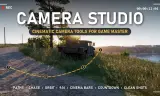
Cinematic camera tools for Game Master: draw camera paths, chase or orbit any vehicle, frame for TikTok or cinema, and record clean shots with a countdown. Multiplayer and dedicated-server safe.
Players now
0
Servers
2
Rating
-
Subscribers
-
Busiest servers running it 2 in total
All servers
Players on servers with it
daily, last 30 days
Details
- Author
- Fat Abu Cheese
- Version
- 1.0.13
- Size
- 6.4 MB
- Licence
- APL
- Game version
- 1.8.0.13
- Likes
- 0 / 0 dislikes
- Published
- 18 Oct 2026
- Updated
- 2 days ago
- Workshop ID
- 6AA46C8D87680915
Recent adoption
30 days: +5 −2 ↑11
- − [GER] 1st MRAC Training and Operations 1.0.16 19h ago
- + UNSC Battlegroup Athens | Halo | Development Server | gg/BGA 1.0.17 19h ago
- + JPN IKINARI REFORGER COOP SERVER 1.0.17 20h ago
- − Warhawk Division's Warhawk Wednesdays - GameMaster [discord.gg/warhawk] 1.0.16 1d ago
- + Warhawk Division's Warhawk Wednesdays - GameMaster [discord.gg/warhawk] 1.0.16 1d ago
- + [GER] 1st MRAC Training and Operations 1.0.16 1d ago
- ↑ Fat Abu Cheese Testing 1.0.14 1.0.15 2d ago
- ↑ Fat Abu Cheese Testing 1.0.13 1.0.14 2d ago
- ↑ Fat Abu Cheese Testing 1.0.12 1.0.13 2d ago
- ↑ Fat Abu Cheese Testing 1.0.11 1.0.12 2d ago
- ↑ Fat Abu Cheese Testing 1.0.10 1.0.11 2d ago
- ↑ Fat Abu Cheese Testing 1.0.9 1.0.10 2d ago
Often used with
8





Version history
10-
v1.0.13 6.4 MB 18 Oct 2026
-
v1.0.12 6.4 MB 18 Oct 2026
-
v1.0.11 6.4 MB 18 Oct 2026
-
v1.0.10 6.4 MB 18 Oct 2026
-
v1.0.9 6.4 MB 18 Oct 2026
-
v1.0.8 6.4 MB 18 Oct 2026
Description from the Workshop
CAMERA STUDIO - cinematic camera tools for Game Master Make videos, trailers and TikToks right inside Arma Reforger. Place camera points in Game Master, lock onto a vehicle or soldier, press Play - and record. CAMERA PATHS • Drop 2 or more Camera Path Points to draw a smooth flight line • Set speed, field of view, height and wait time for every point • Slow & Zoom Points ease the camera in for dramatic close-ups • Smooth ease in and out at the start and end of every path • Loop paths for endless fly-arounds FOLLOW A TARGET • Lock onto any vehicle, helicopter or soldier • Chase at a set distance, orbit 360°, or look at the target while flying your path • Arrow keys orbit and zoom live, PgUp / PgDn change height • Drive or walk yourself while the camera films you MADE FOR RECORDING • 3-2-1 countdown before playback - time to start your recorder • HUD, path lines and menus hide automatically during playback • Frame guides: vertical 9:16 for TikTok / Reels / Shorts, cinema bars 2.39:1, square 1:1 • Rule-of-thirds grid for composing (never shows up in the shot) • Playback speed from 0.25x to 4x, changeable live • Handheld camera shake: light or strong • Time of day presets: golden hour, sunset, blue hour, noon, dawn • Clean photo button - screenshots with no HUD or UI HOW TO USE 1. Open Game Master and find the camera tools in the Systems tab 2. Place Camera Path Points, or a Camera Follow Target next to a vehicle 3. Press F2 to open the Camera Studio panel and adjust your shot 4. Press Play - or place "Camera Play Now" to start instantly HOTKEYS F2 - Camera Studio panel F3 - Hotkey help in game Num 0 - Countdown on / off Num 1 - Hide / show HUD Num 2 - Frame guide (Cinema / 9:16 / 1:1) Num 3 - Rule-of-thirds grid Num 4 / Num 6 - Playback slower / faster Num 5 - Ease in / out Num 7 - Handheld shake Num 8 - Time of day presets Num 9 - Clean photo Arrow keys - Orbit and zoom around the target PgUp / PgDn - Camera height Backspace - Stop the camera MULTIPLAYER Works...