
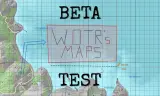
A complete overhaul of the drawing system within Arma Reforger.
Players now
0
Servers
1
Rating
100%
1 votes
Subscribers
-
8 downloads
Busiest servers running it 1 in total
All servers
Players on servers with it
daily, last 30 days
Details
- Author
- wotr
- Version
- 0.9.2
- Size
- 63 KB
- Licence
- APL
- Game version
- 1.8.0.13
- Likes
- 0 / 0 dislikes
- Published
- 8 Oct 2026
- Updated
- 1 week ago
- Workshop ID
- 6A693D94F342E762
Recent adoption
30 days: +5 −3 ↑1
- − ODA 7436 Operations 0.9.2 17h ago
- + ODA 7436 Operations 0.9.2 20h ago
- − ODA 7436 Operations 0.9.2 4d ago
- + ODA 7436 Operations 0.9.2 4d ago
- + [1PH] 1st Para-Hussars | Game Master 0.9.2 6d ago
- − ODA 7436 Operations 0.9.2 6d ago
- + ODA 7436 Operations 0.9.2 6d ago
- ↑ lTagHunterl - Milsim Ops 0.9.1 0.9.2 6d ago
- + lTagHunterl - Milsim Ops 0.9.1 1w ago
Often used with
8




Version history
3-
v0.9.2 63 KB 9 Oct 2026
-
v0.9.1 62 KB 9 Oct 2026
-
v0.9.0 73 KB 8 Oct 2026
Description from the Workshop
**THIS IS A BETA TEST VERSION, NOT THE FINAL PRODUCT** wotr's Maps replaces the vanilla drawing system with one that allows the drawing of various lines, arrows, and polygons of multiple vertices and of variable opacities. Perfect for thorough mission planning, ==FEATURES== - Multiple line types: solid & dashed - Multiple arrow types: simple & outline - A single polygon type - Variable opacity for all strokes - Public and private drawing modes ==HOW TO USE== - Click on the vanilla drawing icon, it brings up this system instead. - Left click anywhere on the map to bring up the line edit menu, you are able to select the drawing type, color, and opacity there. - Left click after selection to start drawing, each following left click adds a vertex to the line. - Once you are done, right click to finalize the drawing. - If you are in drawing mode and hover your cursor over any drawing, it should glow yellow, press "Del" to delete it.