
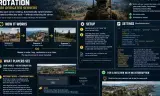
Automatic scenario rotation for dedicated servers. Give it a list of scenarios and the server loads the next one when a round ends, without ever restarting the server process.
Players now
0
Servers
2
Rating
-
Subscribers
-
38 downloads
Busiest servers running it 2 in total
All servers

Players on servers with it
daily, last 30 days
Details
- Author
- TVZabariYarin
- Version
- 1.0.18
- Size
- 24 KB
- Licence
- APL
- Game version
- 1.8.0.13
- Likes
- 0 / 0 dislikes
- Published
- 3 Sep 2026
- Updated
- 4 weeks ago
- Workshop ID
- 6A46BC4BFF234372
Recent adoption
30 days: +16 −12 ↑2
- − RU | KING OF THE HILL | FPV | HELI | PVP 1.0.18 1d ago
- + RU | KING OF THE HILL | FPV | HELI | PVP 1.0.18 1d ago
- − RU | KING OF THE HILL | FPV | HELI | PVP 1.0.18 1d ago
- + RU | KING OF THE HILL | FPV | HELI | PVP 1.0.18 1d ago
- + Hutflix | COE2 1.0.18 3d ago
- − RU | KING OF THE HILL | FPV | HELI | PVP 1.0.18 3d ago
- + RU | KING OF THE HILL | FPV | HELI | PVP 1.0.18 3d ago
- − RU | KING OF THE HILL | FPV | HELI | PVP 1.0.18 3d ago
- + Diddy 1.0.18 3d ago
- + RU | KING OF THE HILL | FPV | HELI | PVP 1.0.18 3d ago
- − UHI Unidad Hispana [Esp Latam][COOP PvE Escape][discord.gg/MTVju4SJJ] 1.0.18 5d ago
- + UHI Unidad Hispana [Esp Latam][COOP PvE Escape][discord.gg/MTVju4SJJ] 1.0.18 5d ago
Often used with
8






Version history
12-
v1.0.18 24 KB 17 Sep 2026
-
v1.0.17 21 KB 13 Sep 2026
-
v1.0.16 12 KB 9 Sep 2026
-
v1.0.15 12 KB 9 Sep 2026
-
v1.0.14 11 KB 5 Sep 2026
-
v1.0.13 11 KB 5 Sep 2026
Description from the Workshop
Automatic scenario rotation for dedicated servers. You give it a list of scenarios. When one ends, the server loads the next one. The server process is never restarted, so your server never drops out of the server browser. Works with any scenario that uses a normal game mode: Conflict, Game Master, Combat Ops, Capture & Hold, Scenario Framework and modded scenarios. No scenario edits and no Workbench needed to set it up. SETUP 1. Add this mod to the "mods" list in your server config. 2. Start the server once. It writes MapRotation.json into your server profile folder, already filled in with the scenario you are running, and logs the path. This first start does not rotate - that is normal. 3. Add the rest of your scenarios to that file, in play order, and restart the server. SETTINGS (MapRotation.json) scenarios your scenario IDs, in play order loop wrap to the first entry after the last randomize pick a random other entry instead of in order forceRotateAfterMinutes rotate on a timer for open-ended modes switchHoldSeconds seconds the result stays on screen (default 8) announceSwitch warn players in chat before the change switchMessage the chat line that is sent preserveAddons carry the loaded mods into the next scenario addonListOverride exact addon GUID list, if the derived one is wrong WHAT PLAYERS SEE Scenarios on the SAME world carry players straight through with no interruption at all. Moving to a scenario on a DIFFERENT world drops every player for up to a minute while their client rejoins on its own. Arma shows its generic "Internal error has occurred" dialog, and players may see a short queue screen even on an empty server, because the server reserves each slot for 60 seconds and the client rejoins through the reconnection queue. That is engine behaviour and no setting here changes it - so the mod replaces the end-of-round screen's...