

DTC Gun Game brings fast-paced, Free-For-All weapon progression to Arma Reforger! Secure kills to advance through custom weapon tiers and claim victory. Try it live on our [NA1] DTC Gun Game server!
Players now
0
Servers
0
Rating
-
Subscribers
-
165 downloads
Busiest servers running it 0 in total
No server is running this mod right now.
Players on servers with it
daily, last 30 days
Details
- Author
- DeathnTaxes
- Version
- 1.0.34
- Size
- 8.1 MB
- Licence
- Custom
- Game version
- 1.8.0.10
- Likes
- 0 / 0 dislikes
- Published
- 24 Jul 2026
- Updated
- 2 months ago
- Workshop ID
- 69F0303C15534426
Recent adoption
30 days: +5 −6 ↑0
- − GER | AoE - Vanilla - www.aoe-clan.de 1.0.34 3d ago
- + GER | AoE - Vanilla - www.aoe-clan.de 1.0.34 3d ago
- − Task Force 552 1.0.34 3w ago
- + Task Force 552 1.0.34 3w ago
- − Task Force 552 1.0.34 3w ago
- + Task Force 552 1.0.34 3w ago
- − [ ARAB ARMA ] 3 [ PS5 : XBOX : PC ] [ https://discord.gg/A-M ] 1.0.34 3w ago
- + [ ARAB ARMA ] 3 [ PS5 : XBOX : PC ] [ https://discord.gg/A-M ] 1.0.34 3w ago
- − [NA3] [WR] Whiskey Rebellion Variety | discord.gg/whiskeyrebellion 1.0.34 4w ago
- + [NA3] [WR] Whiskey Rebellion Variety | discord.gg/whiskeyrebellion 1.0.34 4w ago
- − [NA3] [WR] Whiskey Rebellion Variety | discord.gg/whiskeyrebellion 1.0.34 4w ago
Requires
3

Required by
2
Often used with
8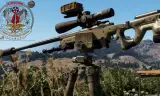
Version history
10-
v1.0.34 8.1 MB 16 Aug 2026
-
v1.0.33 8.1 MB 2 Aug 2026
-
v1.0.32 8.1 MB 2 Aug 2026
-
v1.0.31 8.1 MB 2 Aug 2026
-
v1.0.30 8.1 MB 2 Aug 2026
-
v1.0.29 8.1 MB 28 Jul 2026
Description from the Workshop
# DTC_GunGame Map Setup Instructions Setting up a map for the DTC_GunGame mod involves configuring the match manager on your GameMode, setting up specific trigger zones, configuring your Player Controller, and placing specific spawn points and entities. Follow these detailed steps to fully configure your map. **Note:** A test map is included in the mod files! If you are ever confused by these instructions, open the test map in the Workbench to see exactly how the GameMode layout and entities are supposed to be configured. ## 1. Configure the GameMode Your map requires a clean GameMode setup with specific FFA (Free-For-All) managers. 1. Place a **`GameMode_Plain`** entity in your world. 2. Ensure you have an **FFA Loadout Manager** and an **FFA Faction Manager** configured for your map, so players aren't restricted to standard teams. 3. Select your GameMode entity and add the **`DTC_GunGameMatchManager`** component. 4. Configure the following key properties within the component: - **Winning Score**: The absolute number of kills an individual needs to win the match. - **Gun Game Tiers**: Add elements for each weapon tier. For each tier, specify the `Weapon Prefab`, `Magazine Prefab`, `Reserve Mag Count`, `Weapon Name`, and `Kills Required`. - **Ready Threshold & Min Players**: Configure what percentage/number of players must be ready for the match to begin. ## 2. Set Up Match Spawn Points (`DTC_GunGameStagingZone`) In DTC_GunGame, the "Staging Zones" act as your actual **match spawn points** inside the active arena. 1. Place **`DTC_GunGameStagingZone`** entities around your match arena. 2. You can place **as many as you want**. The match manager will automatically register all of them and spawn players randomly across them when the match starts or when they respawn. 3. Ensure you place them **free from obstacles** so players do not get stuck inside geometry when they spawn. ## 3. Set Up Ready Zone Triggers (`DTC_GunGameReadyZoneTrigger`) These are the tr...