
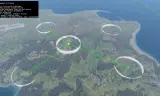
Makes creating bidirectional base connections in Arma Reforger Workbench faster and easier. Arma Reforger version 1.7 and 1.8 compatible
Players now
5
Servers
20
Rating
100%
7 votes
Subscribers
-
8,965 downloads
Busiest servers running it 20 in total
All servers United States
1.8.0.13
United States
1.8.0.13
United States
1.8.0.13
United States
1.8.0.13

 Germany
1.8.0.13
United States
1.8.0.13
United States
1.8.0.13
Germany
1.8.0.13
United States
1.8.0.13
United States
1.8.0.13
 Germany
1.8.0.13
Germany
1.8.0.13
Netherlands
1.8.0.10
Germany
1.8.0.13
Germany
1.8.0.13
Netherlands
1.8.0.10
 India
1.8.0.13
United States
1.8.0.13
India
1.8.0.13
United States
1.8.0.13
Players on servers with it
daily, last 30 days
Details
- Author
- sebastians17
- Version
- 1.8.0
- Size
- 36 KB
- Licence
- Custom
- Game version
- 1.8.0.13
- Likes
- 0 / 0 dislikes
- Published
- 2 Apr 2026
- Updated
- 2 weeks ago
- Workshop ID
- 69051D4FE29CFEC6
Recent adoption
30 days: +62 −64 ↑15
- − [KWG] Kraftworks Group |Vietnam| 1.8.0 3h ago
- − [ENG] FOREIGN LEGION - LÉGION ÉTRANGÈRE | Training Server 1.1.4 6h ago
- ↑ [PT/EU] Portugal Gaming Team #2 | ARCL - PGT Training Map | discord.gg/DekXyq9HQP 1.1.4 1.8.0 9h ago
- − [PJSF] Philippine Joint Strike Force || 24/7 Modern Conflict || SEA || PVE 1.8.0 11h ago
- − K.S.S.O. HUB 1.8.0 1d ago
- + [EU/PT] Portugal A Legiao Portuguesa PVP 1.8.0 1d ago
- − muthur 1.8.0 1d ago
- + muthur 1.8.0 1d ago
- − Official Test Server CM 1.8.0 2d ago
- + Official Test Server CM 1.8.0 2d ago
- + V-Reforger 1.8.0 2d ago
- + Windmill Tactical | Test Environment 1.8.0 2d ago
Required by
46







Often used with
8







Version history
9-
v1.8.0 36 KB 29 Sep 2026
-
v1.1.4 30 KB 29 Jul 2026
-
v1.1.3 29 KB 25 May 2026
-
v1.1.2 29 KB 17 Apr 2026
-
v1.1.1 28 KB 17 Apr 2026
-
v1.1.0 28 KB 17 Apr 2026
Description from the Workshop
PLG Base Connection Tool is a Workbench tool that makes it easier to create bidirectional links between bases in Arma Reforger. It lets you visually connect and disconnect bases directly in WorldEditor, instead of relying on vanilla connection bubbles or tedious manual whitelist setup. This helps you build cleaner and more controlled base networks for custom scenarios, define exactly which bases connect to each other, and work faster with direct visual feedback while editing. It uses vanilla Arma Reforger content and does not require any additional mods to function. How to use: 1. Open your world in WorldEditor 2. In the WorldEditor tool list, choose PLG Base Connection Tool 3. Select the bases you want to work with directly in the viewport Tool settings: • Edit Layer: selects which link layer you are currently editing • Default: used for normal base-to-base connections • Antenna Built: used for additional or alternate links that become active after a radio antenna is built • Antenna Behavior (Global Setting): controls how Antenna Built links behave in the scenario • Add to Default: built antenna links are added on top of the Default links • Replace Default: built antenna links replace the Default links • Viewport Info: controls how much on-screen help text is shown while the tool is active Viewport controls: • LMB on a base: set the current source base • LMB on another base: connect the current source and the hovered base • Shift + LMB: connect while keeping the current source active • Ctrl + LMB: disconnect the hovered base from the current source • Double LMB: select the hovered base and its direct neighbours • Esc: cancel the current source selection Hierarchy actions: • Open Plugins > PLG/Base Connection • These actions work on the current Hierarchy selection Available actions: • Ensure Selected Base Connection Nodes: prepares selected bases for the system and creates missing node data if needed • Connect Selected Base Connection Nodes: connects the select...